

MCP and AI assistants in gym management: what it is and how to keep it safe
By Jarmo Annunen, CEO7 min readPDF
Also inSuomi
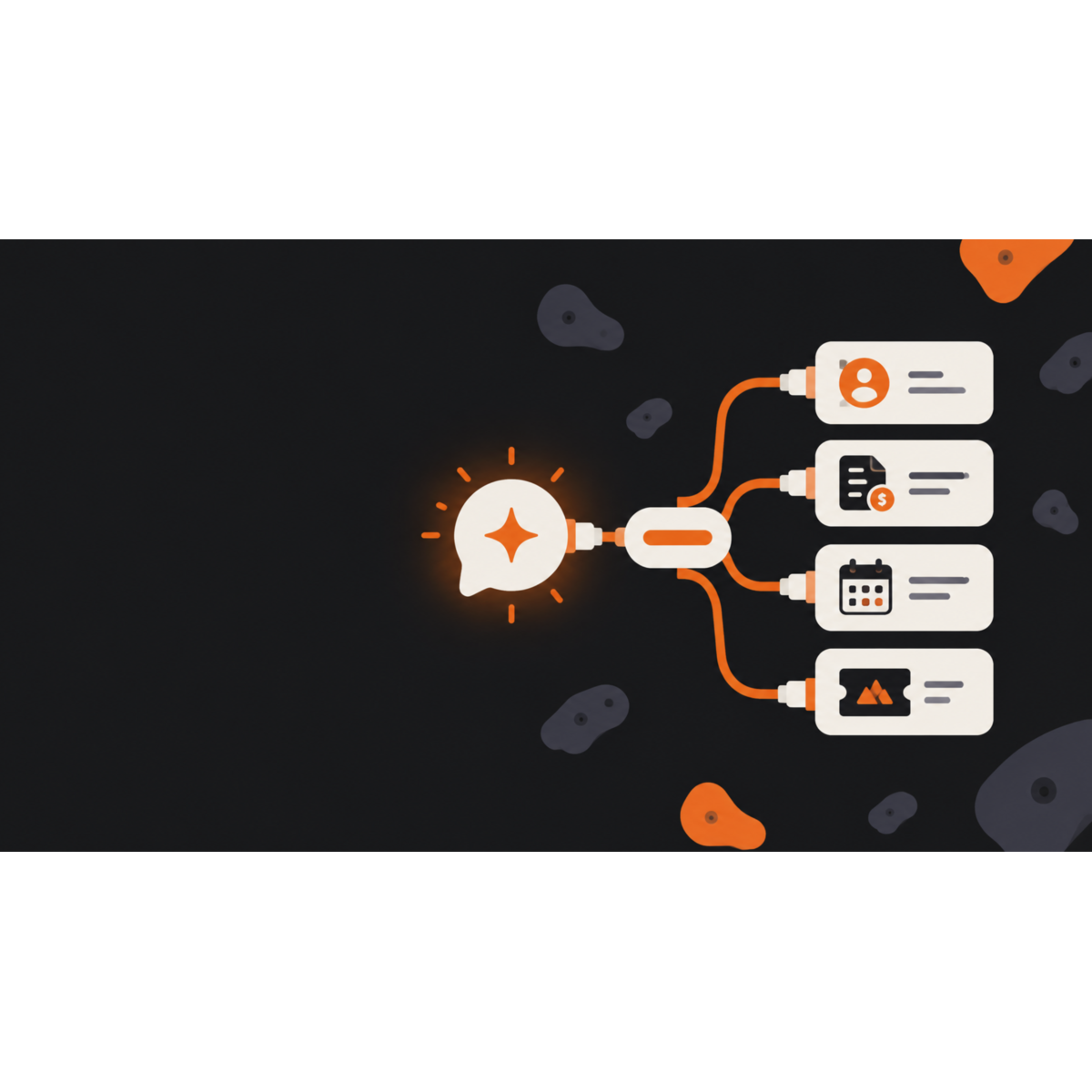
MCP (Model Context Protocol) is an open standard that lets an AI assistant, such as Claude, use the functions of an external system: look up information, create records and make changes. Anthropic released MCP as an open standard in November 2024. For a fitness facility this means, in practice, that you can ask the assistant to do things in your management system in your own words, without having to use the GymKeeper interface yourself.
This article explains what MCP does, what it can sensibly be used for in a fitness facility, and above all how to keep it safe. It is useful even if you do not use GymKeeper: the same principles apply to any system that has an MCP interface.
What is MCP?
MCP is an agreement on how an AI assistant and a system talk to each other. The system tells the assistant which tools it offers (for example "find a customer" or "create an invoice"), and the assistant calls them when needed. The assistant does not see the database directly: it can do only what the tools allow, and only with the permissions that have been given to the key.
The difference from an ordinary chat conversation is that the assistant does not just advise, it acts. It does not tell you how to create a customer; it creates the customer when you ask.
Why does it matter for a fitness facility?
Managing a fitness facility is full of small, repetitive tasks where the information is already available in some form: in an email, a text message or a spreadsheet. Examples:
- adding a new customer using the details from a received message
- creating an invoice for a customer when the rows are already in the message
- issuing a serial card to a customer
- setting up a new bookable service, such as squash courts or trial classes
- checking a customer's cards and pauses before you answer their question
The benefit is not that the AI "does everything". The benefit is that a task that takes five minutes across three views can be described in one sentence and checked at a glance.
What does GymKeeper's MCP interface do?
GymKeeper has an MCP interface that is used with an API key. Each tool requires its own permission (scope), which you choose when you create the key. The tools are:
- Booking systems: listing the existing booking systems and creating a new one with a single request, for example "squash, three courts, 30-minute slots from 7:00 to 22:00, 18 euros an hour".
- Customers: searching for customers and creating a new customer. A new customer requires an email address, and if a customer with the same address already exists, the tool returns the existing customer and does not create a duplicate.
- Invoices, sales orders and purchase orders: creating an invoice, a sales order or a purchase order. Prices are given without VAT, and the VAT percentage is mandatory for every row. A purchase order is created as a draft and is not sent to the supplier on its own. The invoice can be sent by email if you want, but by default it is not sent.
- Serial cards: viewing card types and a customer's cards, and issuing a serial card.
- Card pauses: listing pauses, checking the pause allowance, and creating and stopping a pause.
How do you keep MCP safe?
This is the most important question. An AI assistant with write access to invoicing is only as good or as bad as its permissions and safeguards. In practice:
Give the key only the permissions it needs. If the assistant only looks up customers, give the key read access only. A separate key for writing is better than one key that can do everything. A leaked read key is a small harm; a leaked key that can create invoices is not. In GymKeeper the writing tools have their own permissions (customers, invoices, sales orders and purchase orders separately).
Preview first. GymKeeper's writing tools work in preview mode by default: they show what they intend to send and what the amounts would be, but record nothing. Only once you confirm does the assistant make the same request again, this time actually recording it.
Keep a person in the decision. Money matters (invoices, refunds, orders) should be confirmed by you before the assistant carries them out. Check the amounts and the VAT percentage in particular.
Know the risk of leaks. An API key is a password. Do not paste it into shared chats, documents or code repositories. If a key has leaked, delete it and create a new one.
Do not hand the key further than necessary. One key per purpose or person is clearer than one shared key, because you can revoke one without breaking the others.
How do you get started?
- Create an API key in GymKeeper's settings (Settings → API keys) and choose only the permissions you need.
- Connect the assistant to the interface. In Claude Code you can do it with one command,
sh ./install.sh, and by asking Claude to "connect to gymkeeper". - Ask the assistant to do something small and safe first, for example list the booking systems, and check the result in GymKeeper's own view.
- Expand the use gradually, and add write permissions only once you trust how it works. Try your first real invoice on a test customer and check it in the interface.
Common mistakes
- One key for everything. Easy to start with, hard to fix when something goes wrong.
- Trying things out in production. Try first in a test environment, or at least by creating marked test records that are easy to delete.
- Trusting without checking. The assistant can misunderstand a request. Check the price and the customer, for example, before you confirm.
- Leaving the key visible. A key in a chat or a screenshot is a leaked key.
Frequently asked questions
What does MCP stand for?
MCP stands for Model Context Protocol. It is an open standard that lets an AI assistant use the tools of an external system.
Can the AI change my customer data without permission?
Only if the key has the permission to do so. Give the key only the permissions the use case requires, and keep a person confirming changes that affect money or customer data.
Does an invoice go to the customer on its own?
No. Sending the invoice by email is off by default, and the writing tools show a preview first. An invoice is sent only if you ask for it separately.
Do I need programming skills?
Setting it up requires one command or setting that you can follow from the instructions. Daily use happens in plain language.
Is this the same thing as GymKeeper's API?
Not quite. The API is an interface meant for programmers. MCP gives the same capability in a way that an AI assistant understands and that a person can steer by talking.
What does GDPR say about this?
The principles for handling customer data are the same as before: process only what is necessary and keep access limited.